
Vox Seas Wiki
Vox Seas guide for the Roblox pirate action RPG: reported codes, redemption steps, how to get fruits, fruit rarities and first-session basics.
- Coverage
- 2 guides
- Publication
- Independent wiki
- Content record
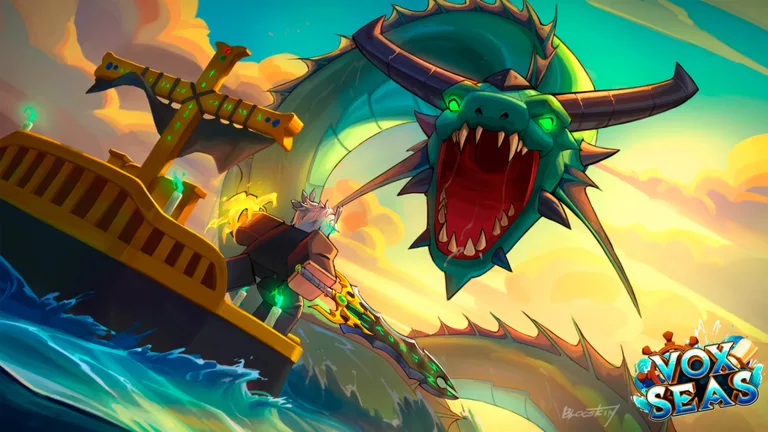
Vox Seas Guides & Codes
Vox Seas Codes & How to Redeem
Copy Vox Seas codes for Stat Reset Tokens, 20,000 Gold and double XP. See reported rewards, expired codes and how to redeem in Settings.
Vox Seas Fruits Guide: How to Get Fruits and Rarities
Learn how to get fruits in Vox Seas: Fruit Dealer stock, permanent Robux fruits, wild spawns and the Ronin gacha, plus reported rarities and prices.
What is Vox Seas?
Vox Seas is a Roblox action RPG published by the Vox Seas! group. Its official description promises a large sea world where sailing, combat, trading and discovery are all part of the adventure, and says the team wants community ideas to shape the game. At the time of review the Roblox listing was titled Vox Seas Update 0.5 and allowed up to 20 players per server.
Guide publishers describe it as a pirate game in the style of Blox Fruits, where you choose between the Marine and Pirate sides and fight with fruits, swords, guns and melee. ArcadeWiki is an independent guide site and is not affiliated with the developer or Roblox.
Your first minutes on the island
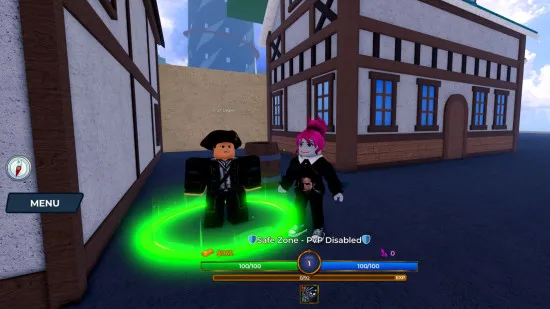
Starting areas are marked with a Safe Zone - PvP Disabled banner, so use them to read the HUD before heading out. Your level, cash, health and energy bars sit along the bottom of the screen, and the tracked quest appears at the top left. In the Beebom codes screenshot, a new level 1 character on Solmar Island is told to talk to the Village Chief.
As an editorial suggestion, follow the tracked quest first, then open the menu to redeem codes before you spend Stat Reset Tokens or double XP boosts. The menu button and layout have changed between updates, so trust your own screen over older screenshots.
Fruits, codes and where to go next
Open the Fruits guide above for the Fruit Dealer stock timer, permanent Robux fruits, reported rarities and how three publishers ranked the launch fruits differently. The Codes guide lists six reported codes for Stat Reset Tokens, Gold and double XP, with the Settings redemption steps.
This coverage was prepared on November 23, 2026. Game identity, server size and the like-milestone note come from the official Roblox page; codes, fruit data and screenshots come from the linked publisher reports. ArcadeWiki has not redeemed codes or played a live session for this guide.